How to Teach an Online Lesson in SchoolMate
SchoolMate has integrated with online lesson platforms Zoom and LearnCube. We can also send meeting links for lessons held on Google Meet and Microsoft Teams. Your students will be sent an email before the lesson starts to join you online for their lesson. Attendance, lesson comments etc. can then be entered in SchoolMate as normal when the lesson finishes.
How do I start an online lesson?
You can start an online lesson from three places when you log in to your SchoolMate account.
- The Main Page. If you have any online lesson that day, they will be marked as such and you can start the lesson from here

. 2. In Class Details.
-
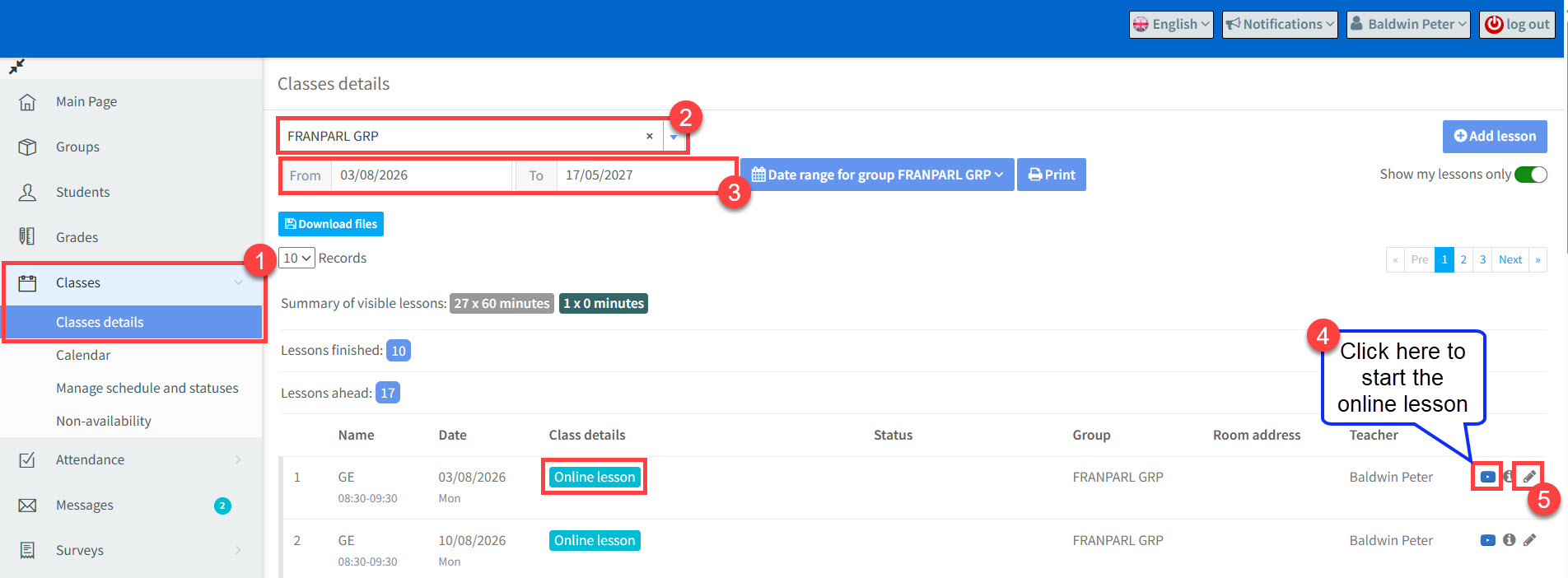
- Go to Classes – Class Details.
- Select a Group or leave empty to see all Groups.
- Select the period for which you want to see lessons.
- Click the icon to start the lesson.
. 3. On the Class Card.
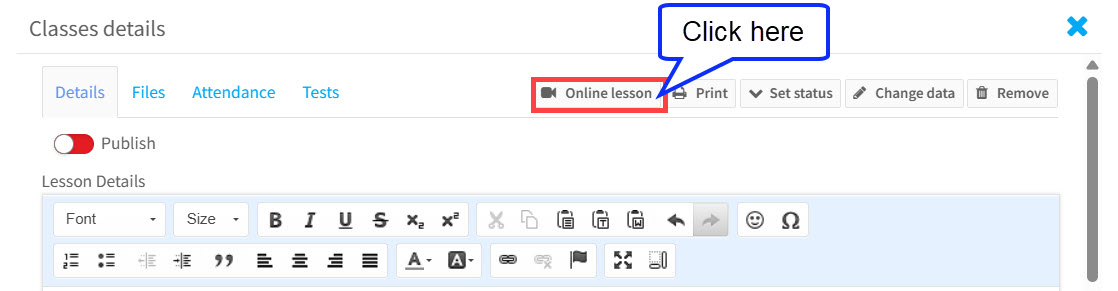
If you click on number 5 in the picture above, the Class Card – where you enter attendance and lesson details will open. Click on the icon to start the lesson.