
Managing Teacher Profiles in SchoolMate
The profile card stores background information on the teacher. The information is used when selecting teachers for lessons by certain criteria and in calculating teachers’ pay.
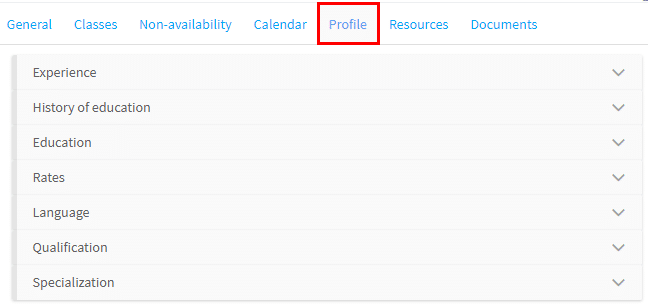
There are two ways of entering the information:
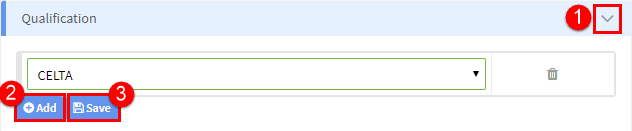
- You select from options which have been uploaded in School Admin – Settings – Teacher Profile. These items are: languages, specialisation, education and qualifications. They can be used when searching for available teachers etc.,
- Click to expand.
- Click “Add” to add another option.
- Click “Save” when finished.
- The second way is where you insert your own data. This is an example of a teacher’s pay rates, used in pay calculations.
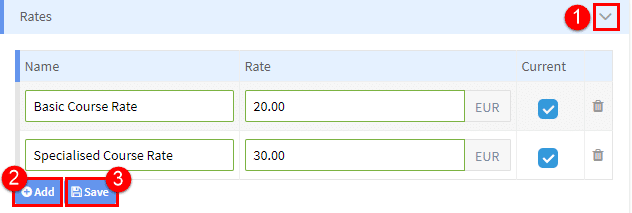
- Click to expand.
- Click “Add” to add another option.
- Click “Save” when finished.