
Налаштування власних форм і полів
SchoolMate дозволяє мовним школам створювати власні форми та поля для збору й зберігання додаткової інформації, яка вам потрібна. У деяких картках системи передбачено місце, куди ви можете додати кастомізовані поля, щоб зберегти додаткову інформацію на власний розсуд.
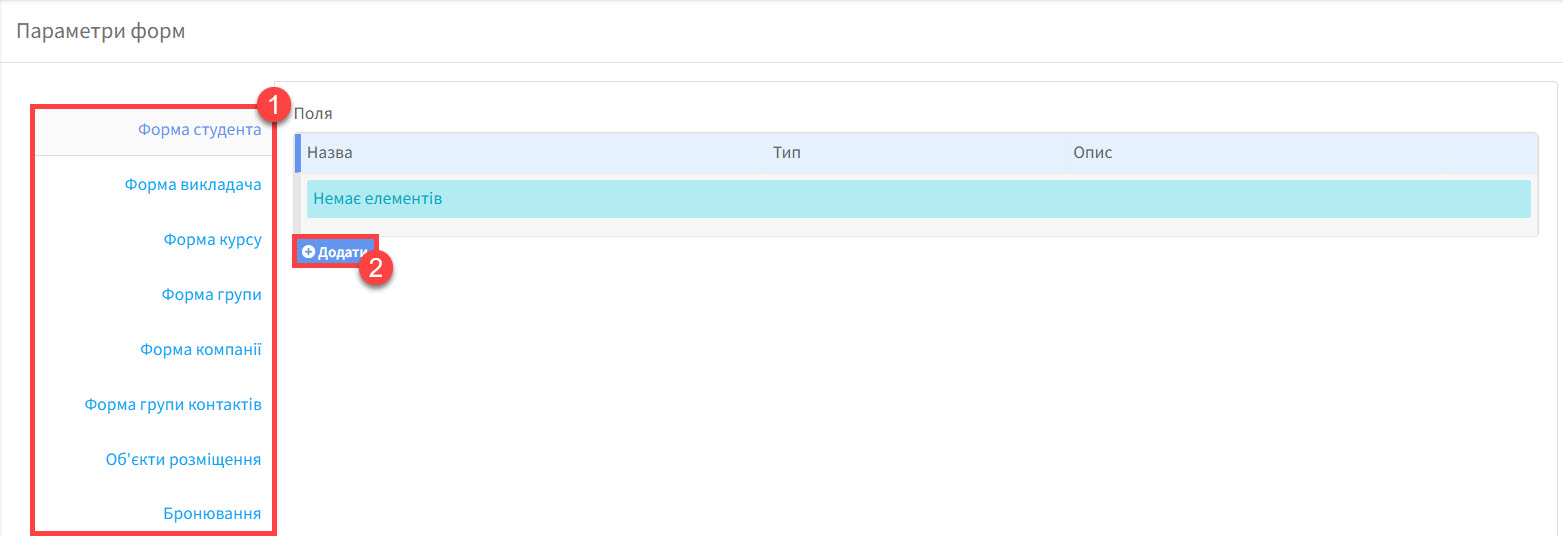
- Картки, куди можна додати кастомізовані поля.
- Після вибору картки, куди треба додати форму, натисніть тут, щоб додати поля.
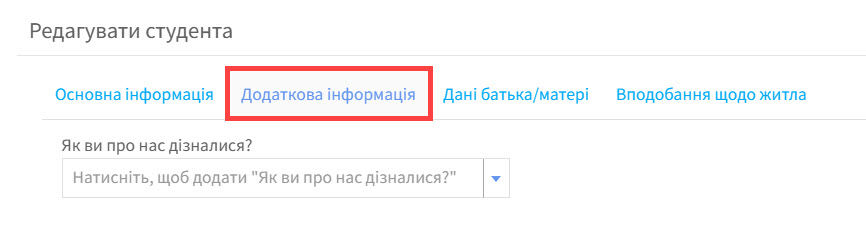
Створені кастомізовані поля відображені на картці “Додаткова інформація”. Ось приклад, який показує де знаходяться кастомізовані поля для форми студента на картці студента:
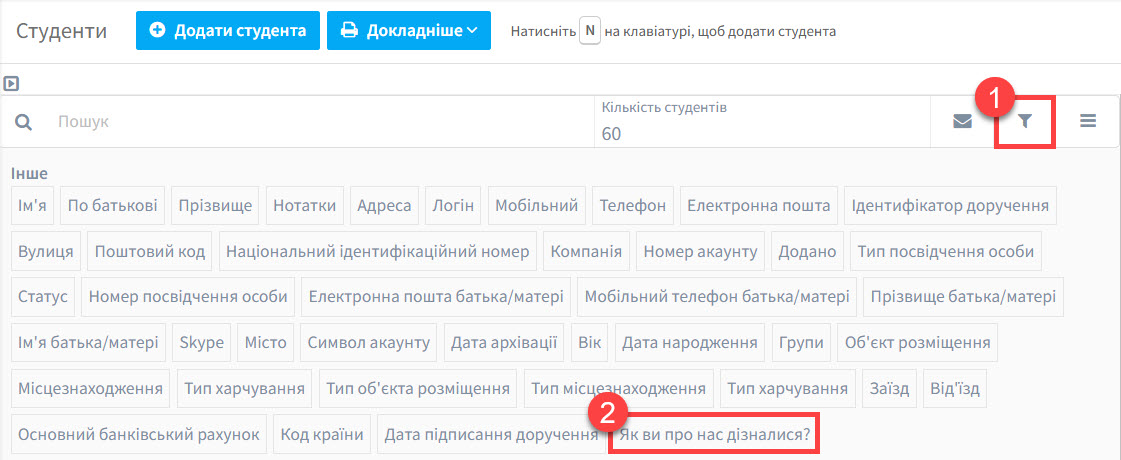
Пошук:
Дуже корисним є пошук студентів, викладачів, і т.д., використовуючи додаткове поле, як фільтр.
- Фільтр
- Приклад кастомізованого поля.
Додати кастомізоване поле:
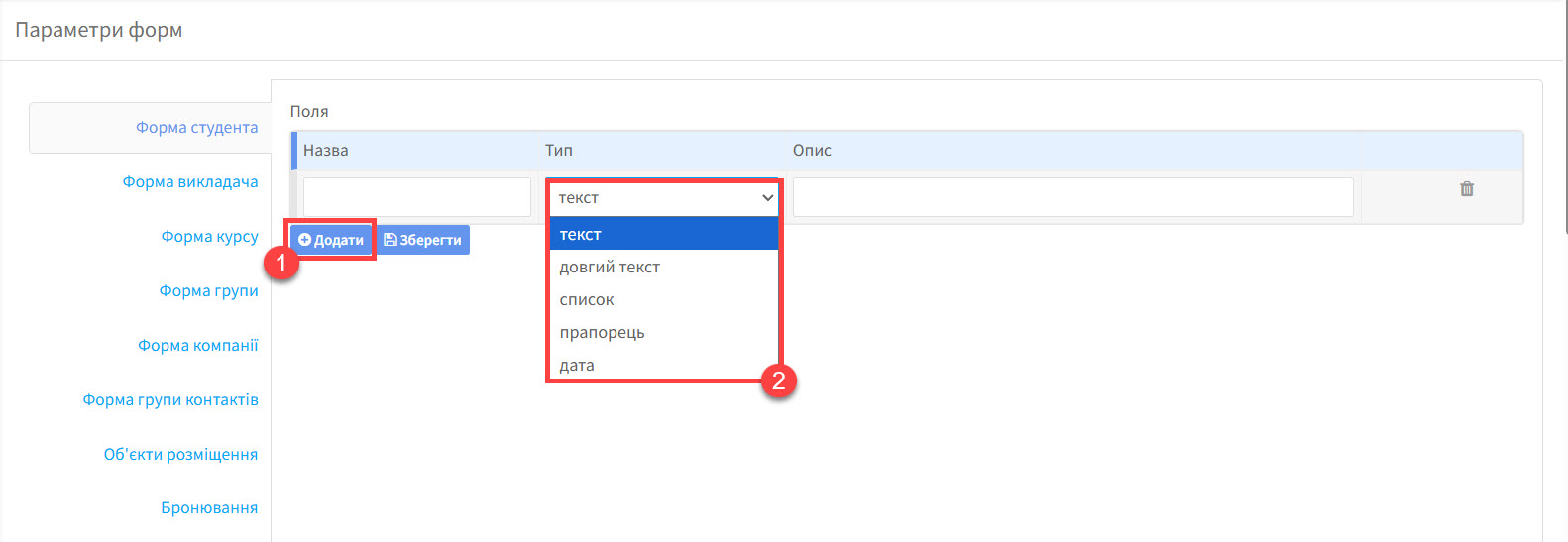
Типи кастомізованих полів:
- Текст – один рядок тексту.
- Довгий текст – декілька рядків тексту.
- Список – пункти, які можна обрати.
- Прапорець – кнопка “так/ні”.
- Дата – дата, яку можна обрати.
Додати кастомізовані поля:
Після того як ви натиснули на “Додати”, вам треба буде заповнити ці деталі:
- Натисніть “Додати”, щоб вибрати додаткові поля.
- Назва поля.
- Тип поля.
- Опис – не обов’язково.
- Якщо ви обираєте “Список”, вам необхідно додати пункти до списку – “Додати опцію.”
- “Зберегти”.
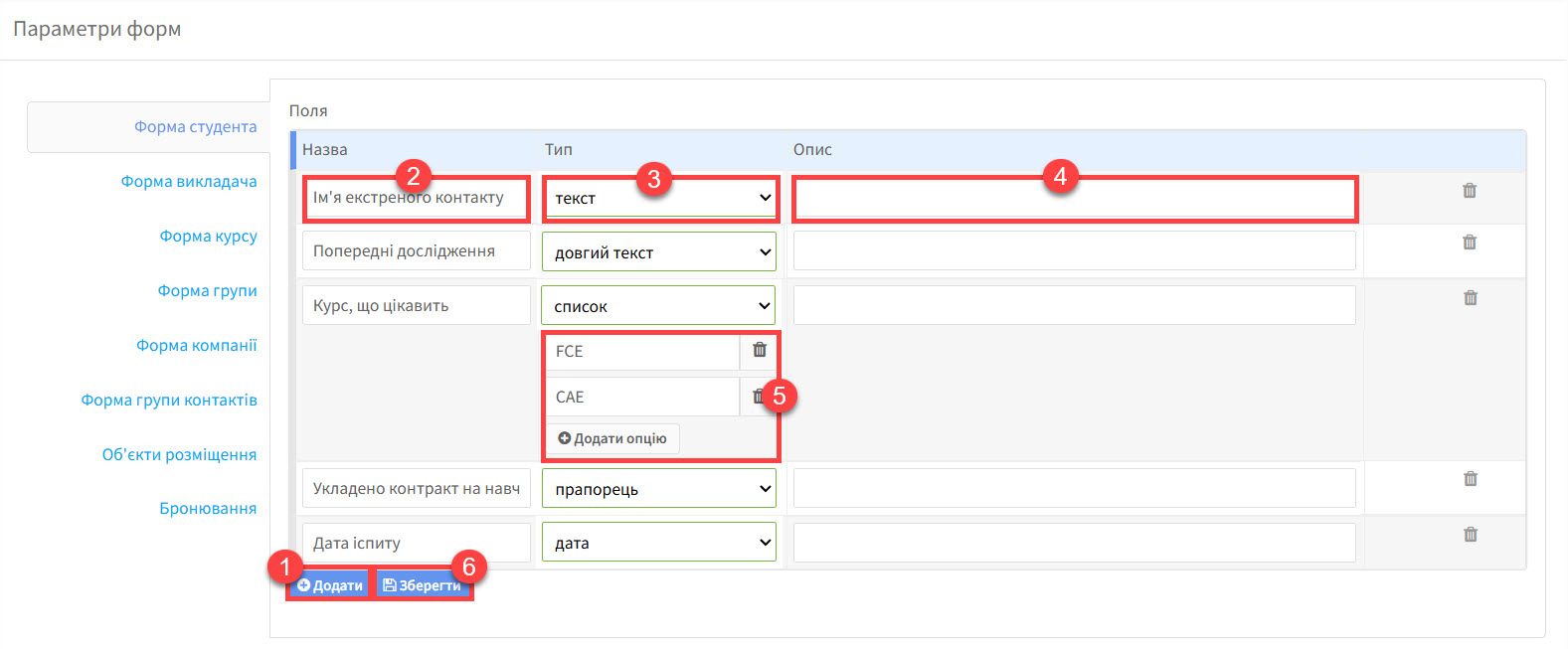
Ось так виглядає усе вищезазначене на картці студента.

Налаштування доступу:
Поля на цих картках можуть заповнюватись викладачами та студентами (або батьками), якщо ви це дозволяєте. Ця функція може бути корисною, якщо ви хочете, щоб студенти самі обирали собі курс на наступний рік. Однак інформація на картці може також містити дані, які ви не хочете, щоб бачили користувачі, що не мають прав адміністратора.
Як тільки ви збережете ваші кастомізовані поля, з’являться чотири прапорці.

- Активний – відображається на картці.
- Може редагуватися або переглядатися студентом або батьками.
- Може редагуватися або переглядатися викладачем.
- Може переглядатися, коли студенти записані до групи.
Зніміть позначку, якщо ви хочете прибрати доступ до прав.