Профілі викладачів у SchoolMate
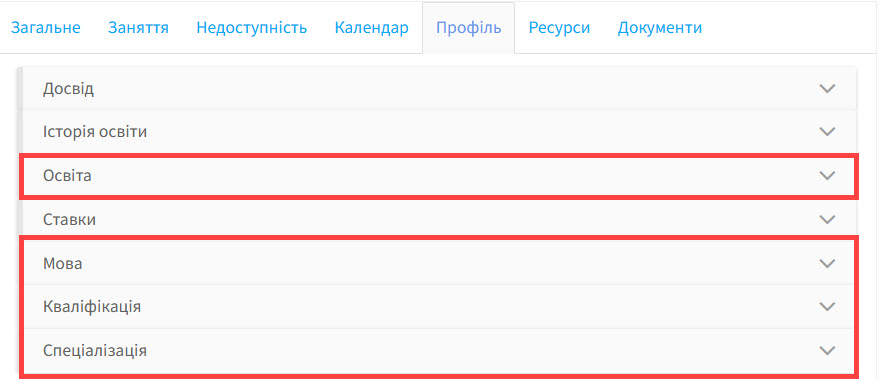
Тут існує 2 типи деталей: ті, які ви можете ввести й ті, які можете вибрати із випадаючого списку. Деталі, які зберігаються в налаштуваннях профілю викладача, і які знаходяться у випадаючому списку:
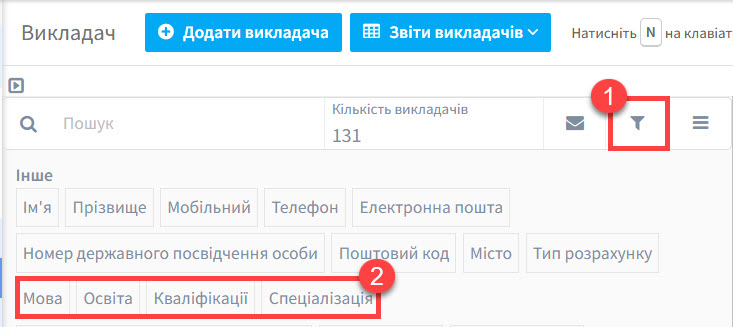
Також є деталі, які можна відфільтрувати у вашому списку викладачів:
- Фільтр
- Деталі профілю викладача
Ці деталі також можуть використовуватися, коли ви шукаєте викладача для групи або коли вам треба відфільтрувати викладачів не лише за критерієм доступності.
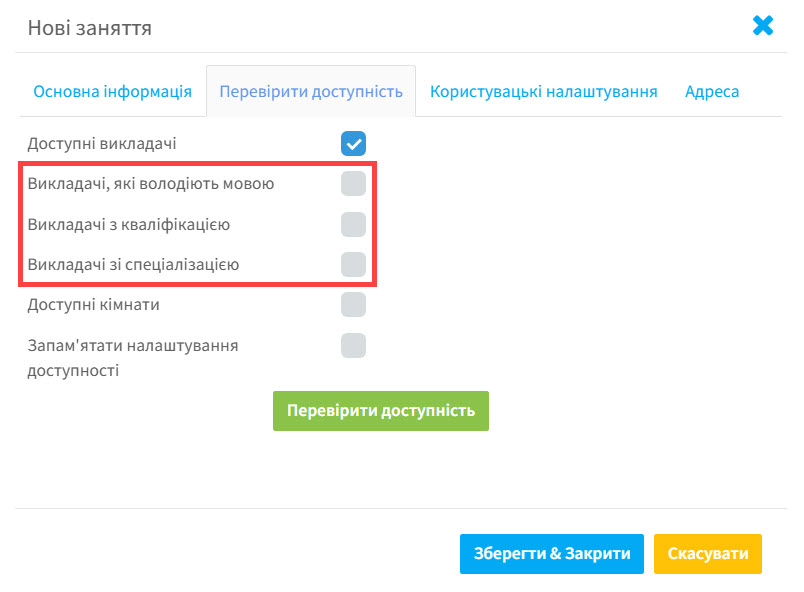
Ви можете дізнатися більше у посібнику Як додати урок до групи.
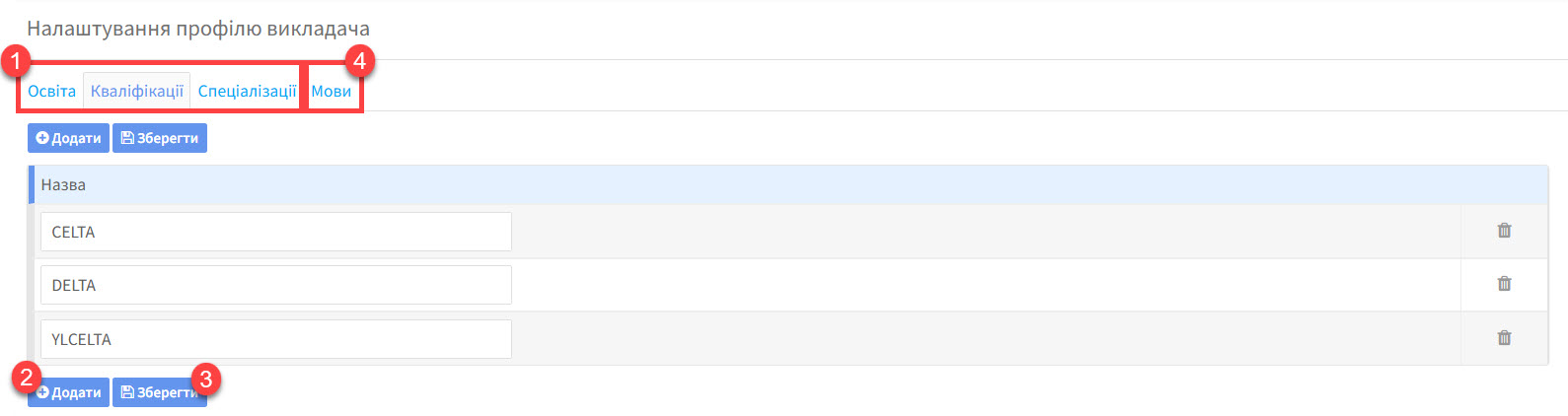
Додати деталі до профілю викладача:
- Для перших 3 пунктів
- Натисніть “Додати”, щоб ввести дані
- Натисніть “Зберегти”
- Інформація про мови не заноситься сюди, але показана у розділі Налаштування групи – Мови.